Last known update
Social Scroll
Built around an earlier Twitter interface and an in-page navigation panel.
 Tweet Time Machine
A maintained alternative
Social Scroll for Twitter helped people jump to older posts without endless scrolling. After years of X/Twitter interface changes, many users report that the old workflow no longer works. Tweet Time Machine rebuilds the useful part with a smaller, URL-based approach.
Independent · Privacy-first · No scraping
Last known update
Built around an earlier Twitter interface and an in-page navigation panel.
Available now
A popup-first Chrome extension designed for current X and Twitter URLs.
The signal in the reviews
“The controls no longer appear.”
“It used to work, but now it doesn't.”
“I still need a faster way to search old posts.”
These are paraphrased themes, not attributed quotations.
A simpler foundation
No migration required
Tweet Time Machine does not import anything from the older extension. Install it, open a public profile, and use the toolbar popup when you need to search the past.
Visit a supported public profile on x.com or twitter.com.
Select a year, month, and optional keyword or quoted phrase.
The extension builds the query and opens X results in a new tab.
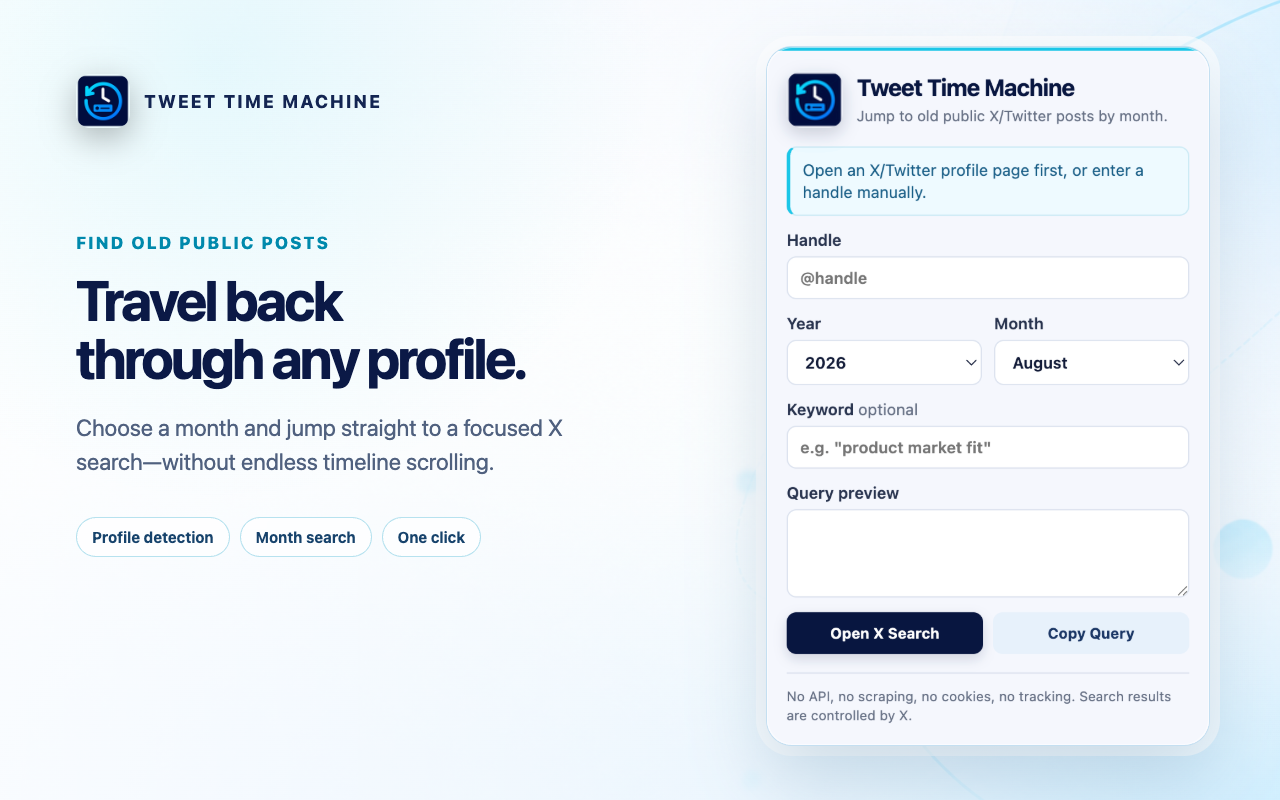
Zero-access by design
Tweet Time Machine does not use the X API, scrape posts, read cookies or page content, save searches, run analytics, or send your inputs to a developer-controlled server. Its only requested permission is activeTab.
Before you install
No. Tweet Time Machine is an independent project and is not affiliated with the older extension's developer or with X Corp.
No. It generates a focused X search query for the selected profile and month, which is more resilient than automating the timeline interface.
No. X controls the results. The extension cannot guarantee complete historical coverage or access deleted, private, or protected content.
Yes. The current v0.1.1 release is free on the Chrome Web Store.
The past is still searchable
Free · No account · Minimal permission